|
The other day I started my Ubuntu virtual machine and encountered with the following error. ext4-fs error ext4_lookup deleted inode referenced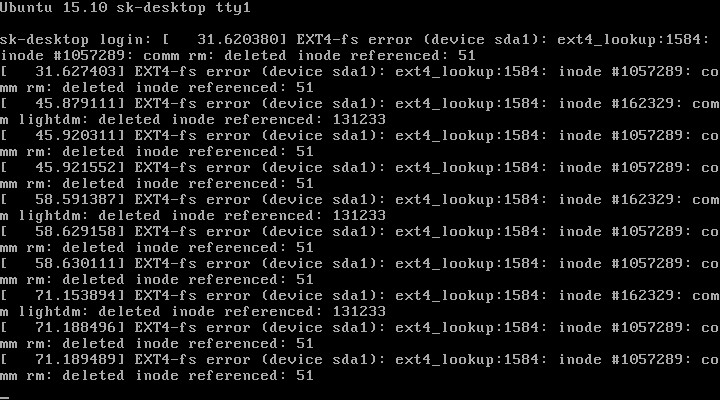 ext4-fs error ext4_lookup deleted inode referenced
8 a! A0 e- D9 R- `! h5 Z( \; H& ~5 |It didn't boot and kept showing me the above error continuously. After a couple web searches, I found the solution for the above error is so obvious. Yes, I guess the file system EXT4 for the partition /dev/sda1 is corrupted. So, I decided to log in to the single user mode and perform manual file system check. + h8 j7 L) D7 X
_& |$ Z: h( K' T4 l8 f+ I
7 ?# p: u- s( F. kTo log in to the single user mode, reboot your system and select Advanced options for Ubuntu from the GRUB boot menu. Check the following screenshot. 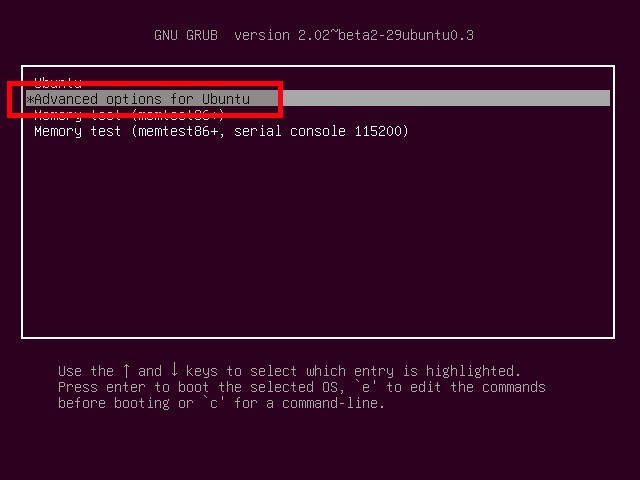 Ubuntu grub menu
8 l d: ^( b; ZThen, select Recovery mode. 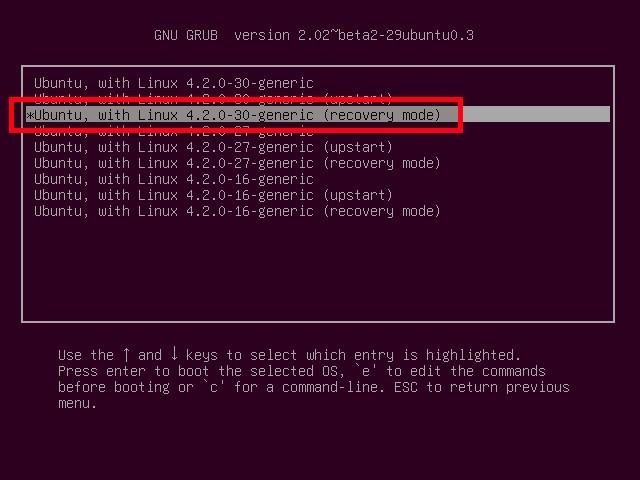 Choose Ubuntu recovery mode
7 P8 t& k- i/ P9 C7 B3 ~# U8 J
On latest Ubuntu versions, you can log in to the single user mode as described in the following link.
At the single user mode prompt, run: fsck /dev/sda1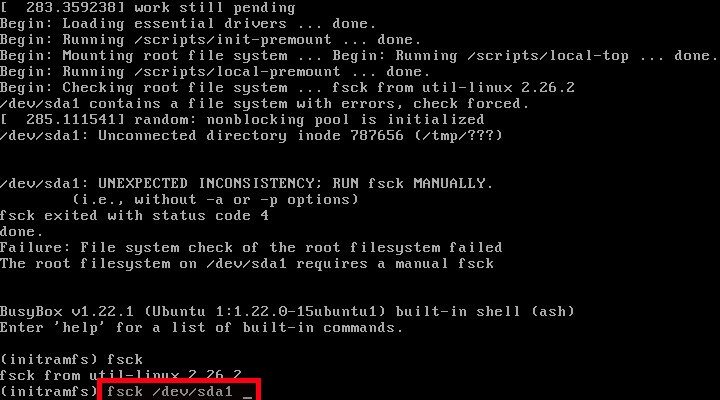 Run fsck command in Ubuntu single user mode
You'll be now asked to answer a couple of questions. Type "Y" until you get the problem solved. 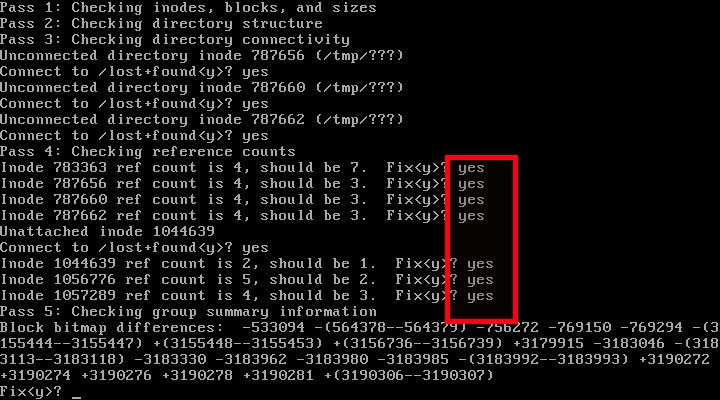 Fix "ext4-fs error ext4_lookup deleted inode referenced" error in Ubuntu
" K n t; A( B5 J/ _- y6 i% t; sFinally, you'll see the FILE SYSTEM WAS MODIFIED message. Type reboot and press ENTER. 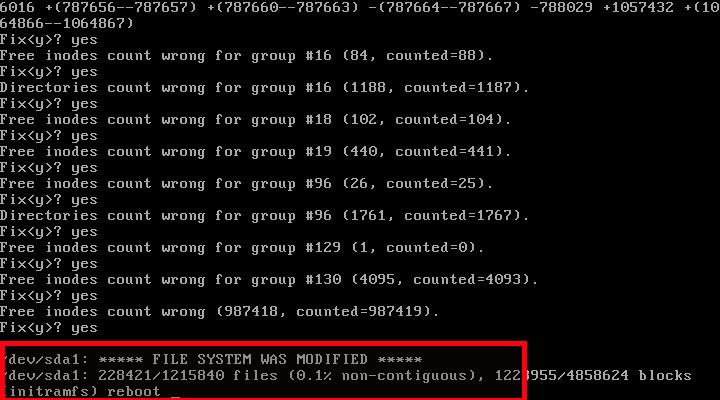 Ubuntu file system is modified and fixed
! r5 V) F, t/ P$ AThat's it. Now, the system will boot without any problem. Be mindful that some of your files might be lost already. If you have anything important on your hard drive, connect your hard drive as secondary hdd in any system and do the backup before running the fsck command. Also note that this method will not work if your hard drive is already dead or nearly in dead condition. Keeping an external backup is always a recommended. Thanks for stopping by! & K9 s! M, G* ~9 o1 S& d. D3 a
5 p* L8 z: ~! ~4 d9 M |





 发表于 2022-10-30 00:11:17